TEDME Broadcasting

Your own broadcasting or event website
Do you want to stream your event live and need an event website that broadcasts both the streaming and all interactions live and in a single browser window? With TEDME this is easily possible.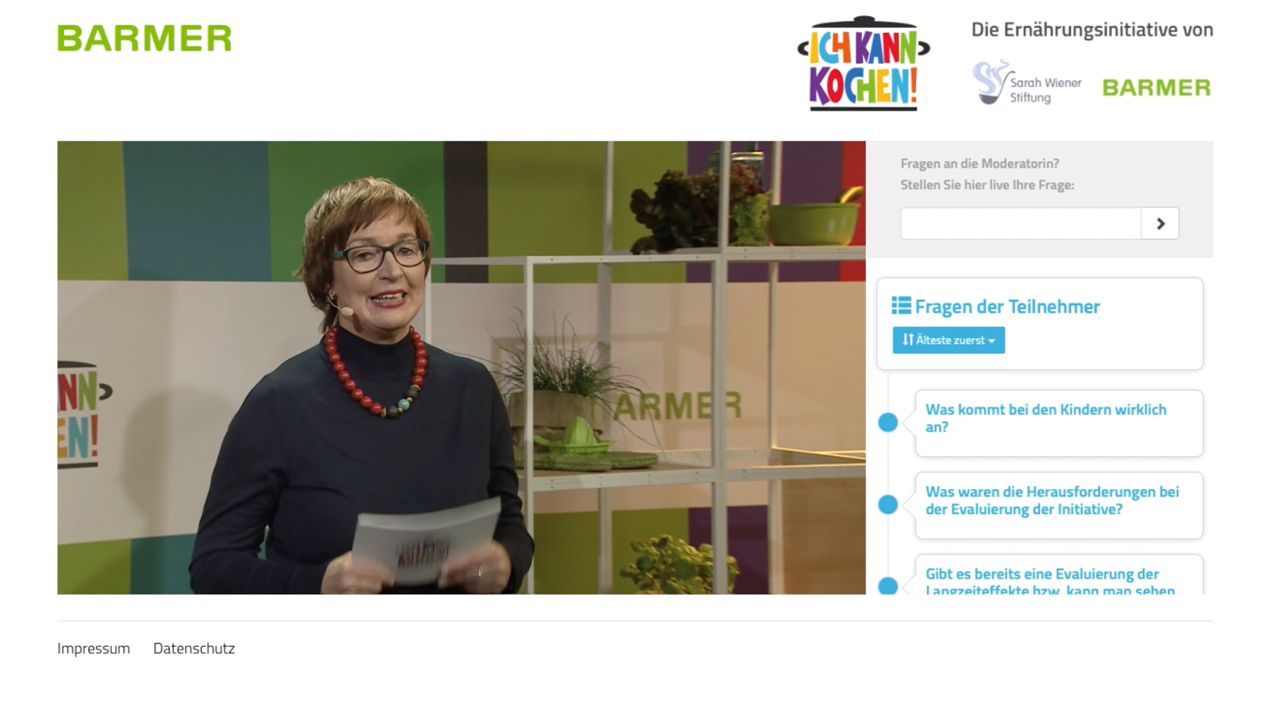
Interfaces
- the transfer of names and profile pictures of the participants
- Chat content
- the user's language for multilingual events
- the sorting of the question lists
Integrate streaming
TEDMEs Claim

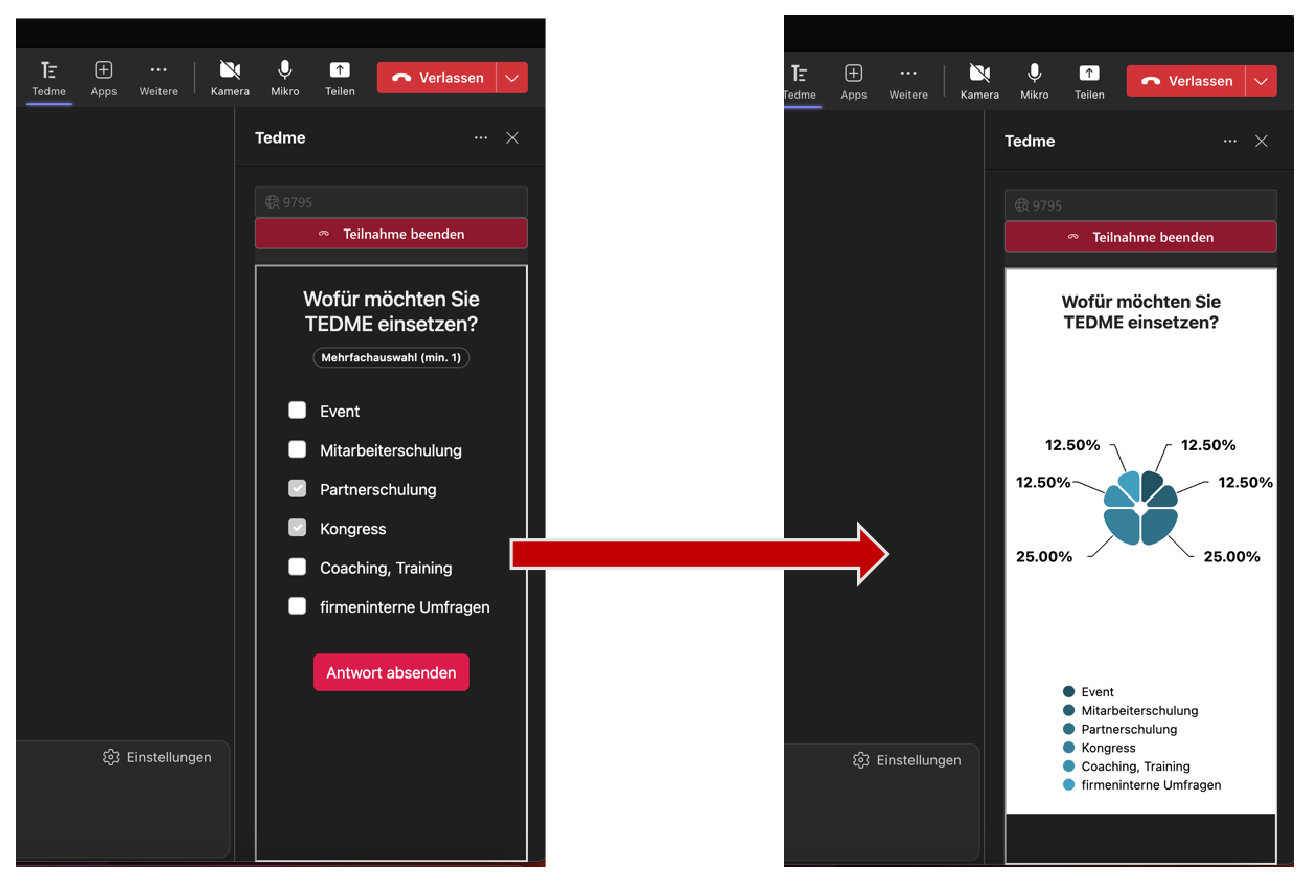
Broadcasting with MS Teams
More inspiration for broadcasting in TEDME
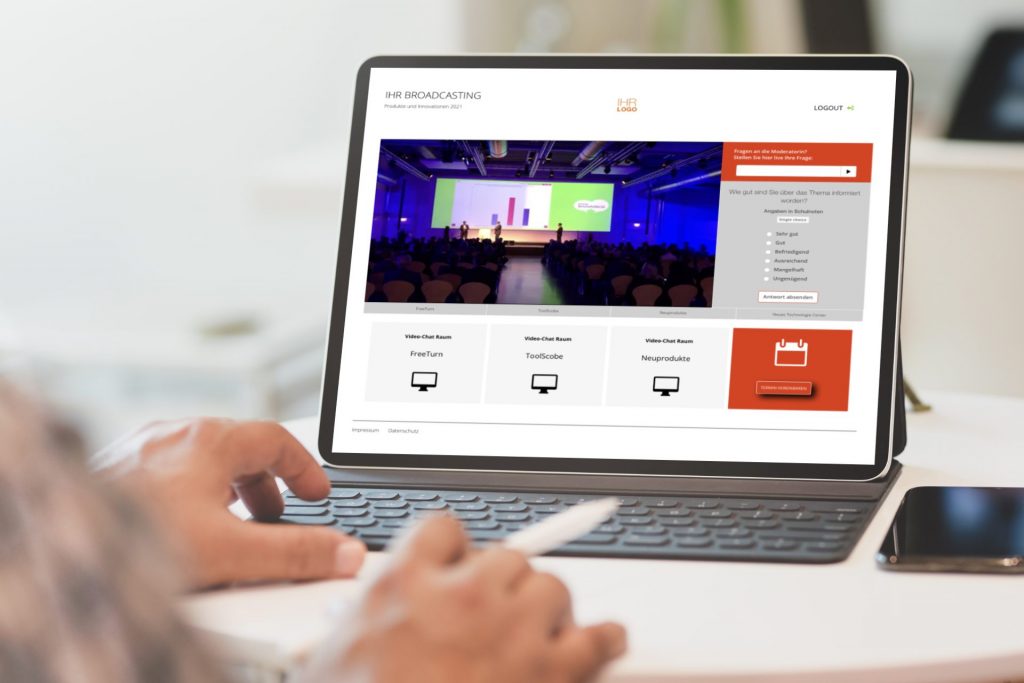
Kennen Sie das? Sie haben eine Event-Plattform, ein Videokonferenz-Tool oder eine Streaming-Lösung und wollen zusätzlich ein Interaktionstool wie TEDME einsetzen? Dann machen Sie es Ihren Teilnehmern, Ihren Moderatoren und Co-Moderatoren so einfach wie möglich und binden Sie TEDME direkt ein. Mit den richtigen Parametern können Sie eine ganze Menge "rüberbringen". Was das alles sein kann, erfahren Sie in diesem Beitrag.
Why you should integrate TEDME directly into your event platform at all
Wer möchte, kann die TEDME Umfragen, Abstimmungen, Q&A-Runden, Wissenschecks und vieles mehr auch über einen "Second Screen", also über das Smartphone oder Tablet, der Teilnehmer abbilden. Doch die allermeisten Zuschauer sowie auch Referenten und Moderatoren wissen es sehr zu schätzen, wenn alles in einem einzigen Browser passiert. Kein extra Login, kein zusätzlicher Download. Einfach einmal einloggen und los geht's.
Thanks to TEDME's integration options into other websites, including an event platform, you can do just that.
We will now show you in more detail how powerful the visualisation and transfer of data can be and how attractive the result, your event, can look.
Place TEDME next to your live stream
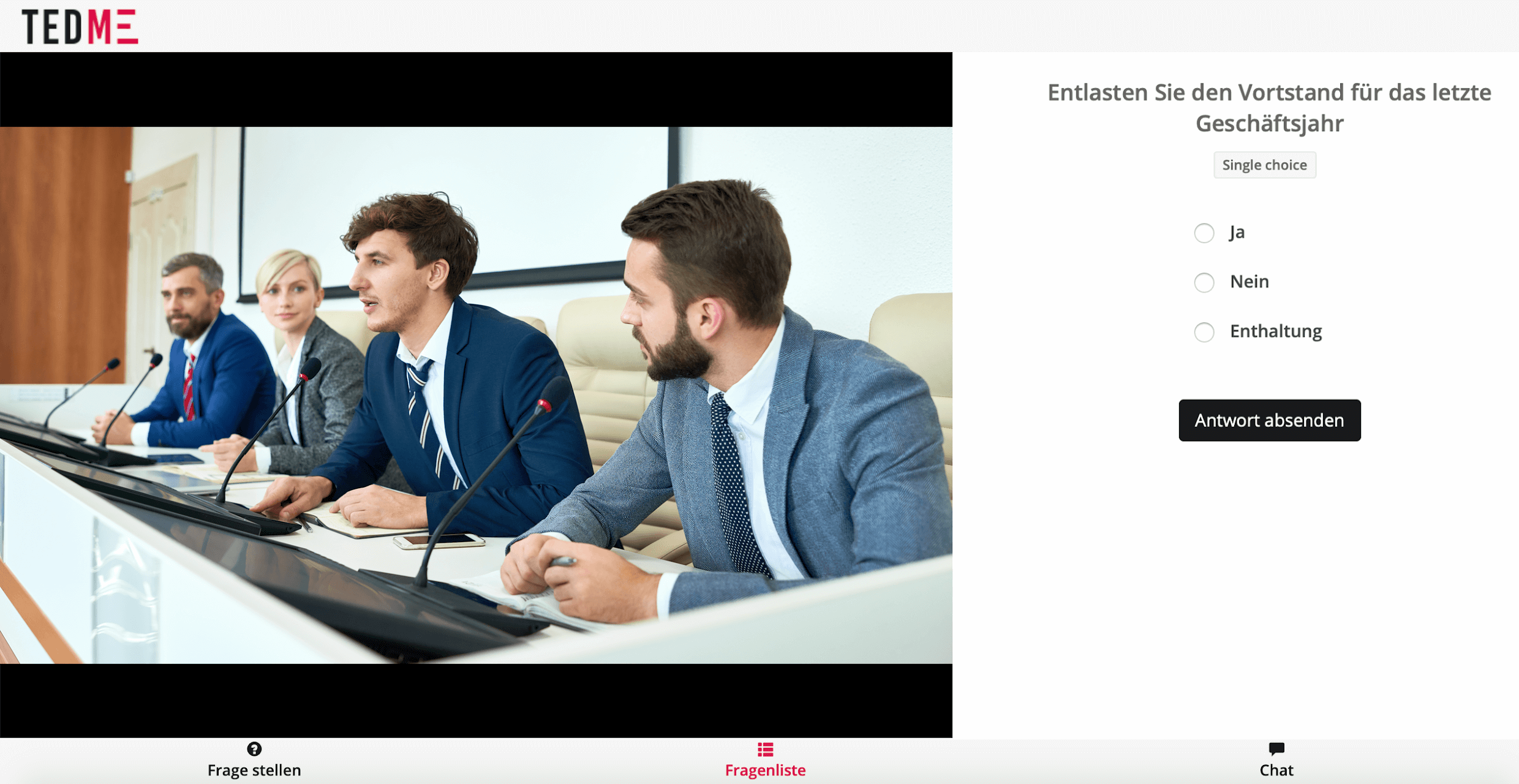
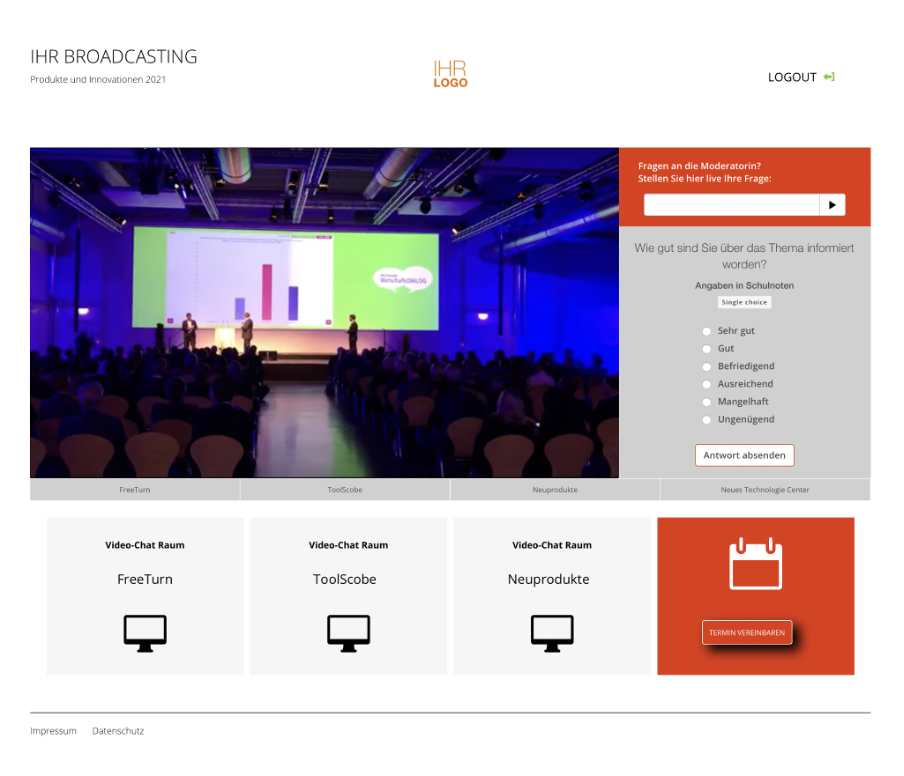
A now familiar user experience for the vast majority of participants: The video image of the live stream is on the left and the polls, Q&A rounds and all comments are on the right. Here are two examples of how you can add the TEDME elements to your live stream.
In the first example, you integrate two TEDME elements, i.e. containers, to the right of the live stream.
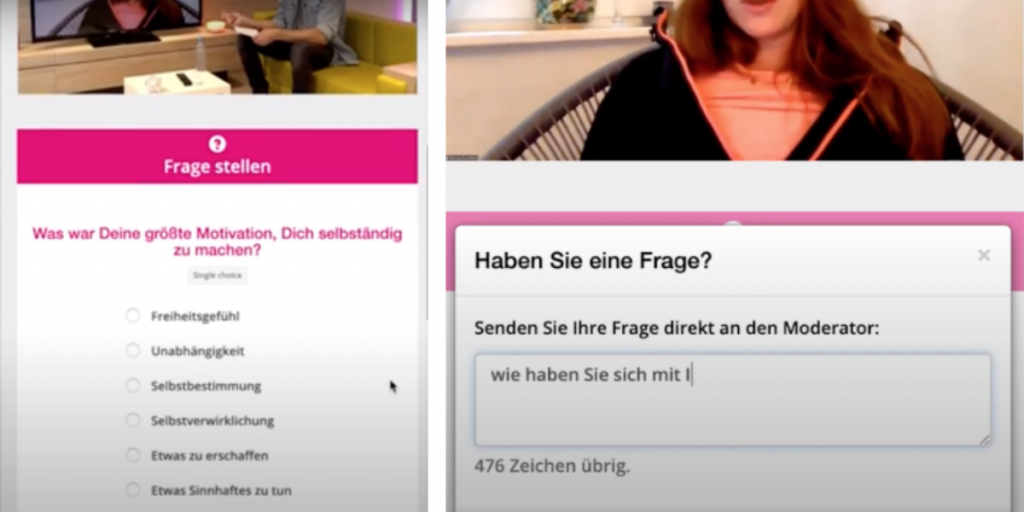
Im zweiten Beispiel sehen Sie, dass die TEDME-Funktionen als überlappende Elemente eingebunden sind. Zunächst erscheinen rechts neben Ihrem Videobild die Votingfragen erscheinen. Zusätzlich können Sie ein Feld "Frage stellen" einblenden lassen. Dieses legt sich dann über das Fenster mit den Votingfragen.
To ensure that your open session is also displayed in this area, first start the session in TEDME with an expiry date and a PIN of your choice. Then copy the desired code for the iFrame integration into your event platform. You will find the list of useful codes in the settings of your session in TEDME as soon as you are logged into your account.
Individualise the TEDME area
Customise the area that is displayed next to your live stream to suit your needs and requirements. You can integrate the following functions:
- Voting
- Ask a question
- List of questions
- chat
- Displaying the voting result
You can also specify that
- this room is automatically entered when the iFrame is loaded,
- individual names of the participants are displayed,
- the language of the user is also transferred,
- a profile picture for the chat is transferred and displayed,
- Determine the sorting of the participant questions
- likewise for the chat messages
- and much more.
Integrate several TEDME functions into the event platform in parallel
Do you have several surveys or interaction areas that you want to integrate into the event platform and only want to display one of these windows at a time? This is also possible with TEDME. The list of codes with which this can be realised can also be found in the settings of your session.
This allows you to display or realise the following actions:
If a moderator starts a voting or a participant enters the session, the voting is displayed next to the live stream.
The result of the voting is displayed when the moderator finalises a vote.
A new question is displayed when new questions in the Q&A list have been approved by a co-moderator.
Customise TEDME to your layout and that of the event platform
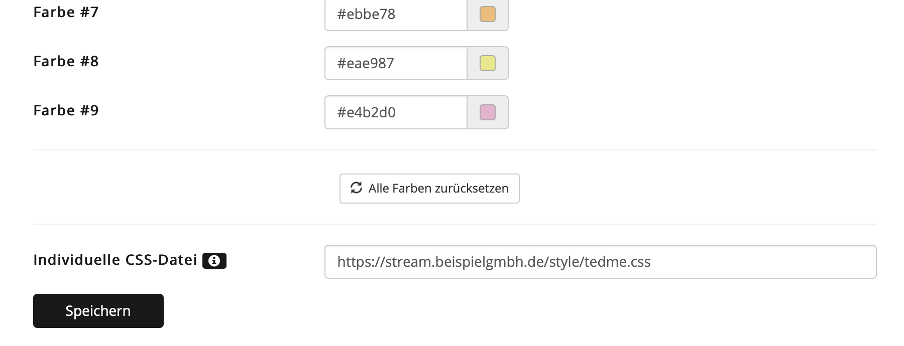
In addition to the CI settings for colour and logo, you or your web designer can also store individual CSS in your TEDME account under "Project settings" if you want to customise the view even further. Thanks to customised CSS, you can, for example, position the buttons the way you like them or adjust the font. This allows you to customise different areas and views of your event and your interactions, for example the participant view or the stage view for the co-host.
Integrate TEDME in different languages
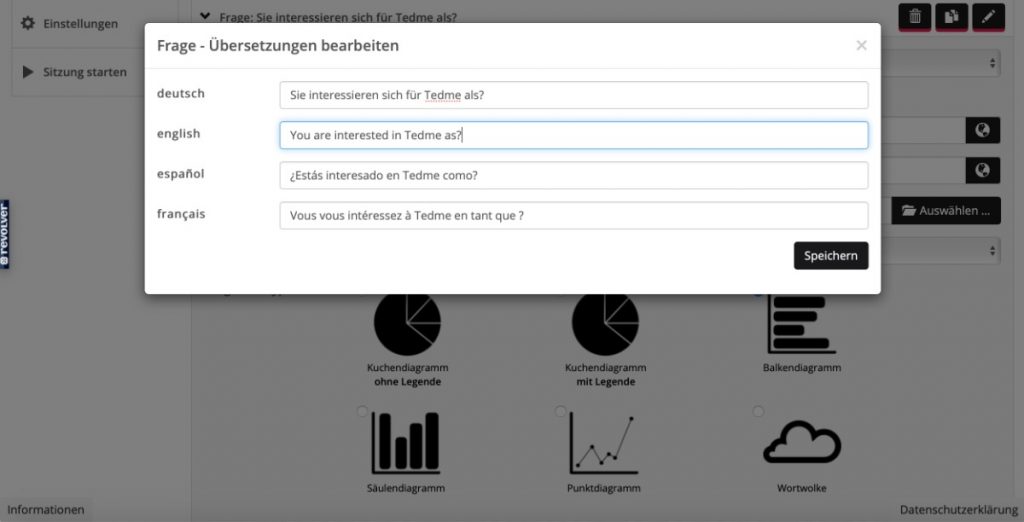
Do you want to offer your event in different languages? Then you can store the questions and welcome texts in different languages.
To do this, first create the questions in your main language and save them. You can then edit the questions and transfer them into different languages. Also remember to add the iFrame code for these language options accordingly and insert it into your event platform with one click.
Conclusion
With TEDME you can integrate all interactive elements from A for voting to Z for audience questions into your event platform or your event website including live stream. Thanks to the customisable iFrame codes, you can design the TEDME area in exactly the way that best suits your event.
Do you have any further questions?